PDF document organizer, free
One messy PDF in, one clean PDF out. Lay every page out on a grid, then reorder, rotate, delete or extract pages until the document reads the way it should.
Organize a PDF now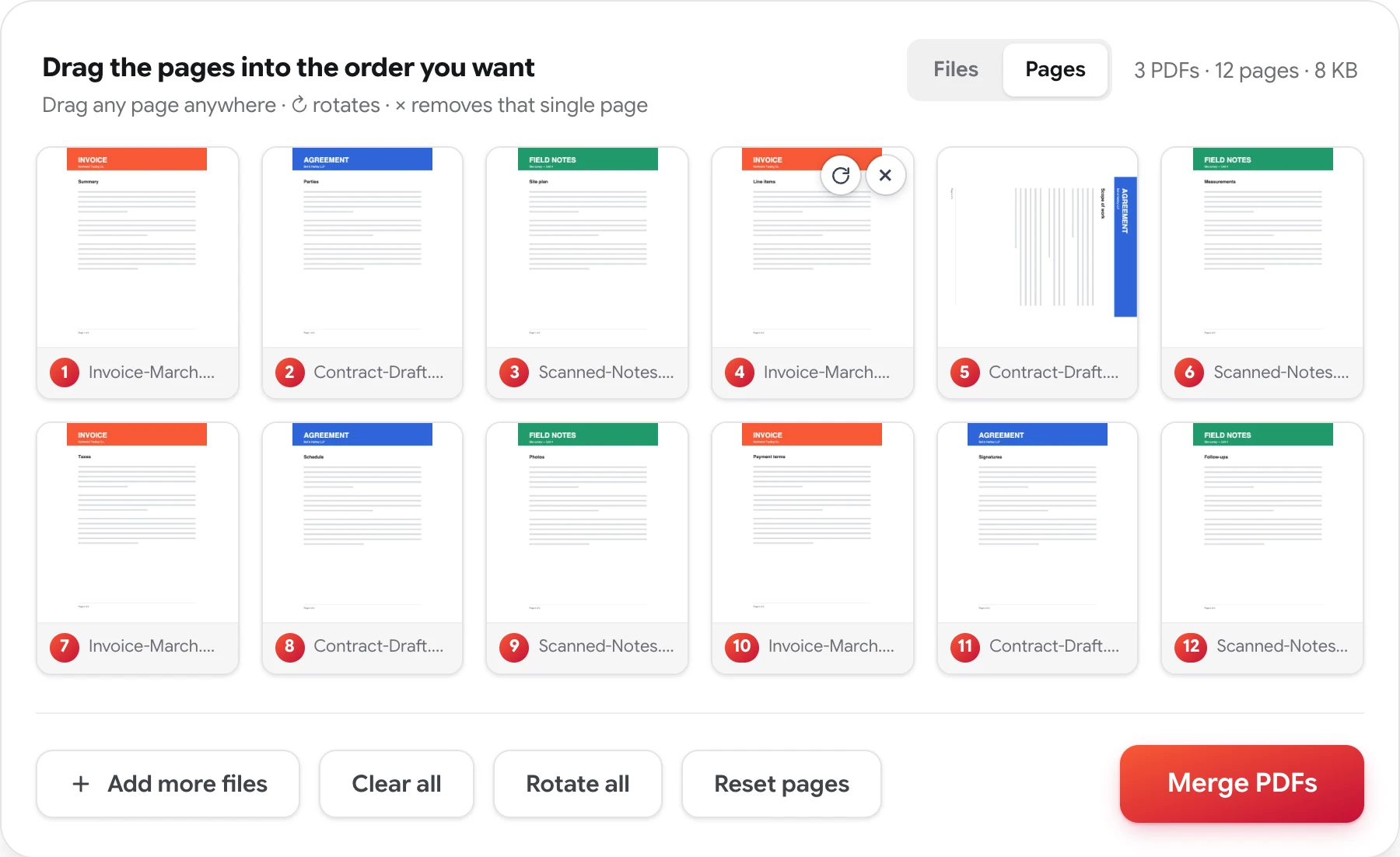
Four jobs, one grid
Whatever's wrong with the document, the fix starts the same way: see every page at once.
Rearrange pages
Scanned backwards or exported out of sequence — drag the pages into the order you meant.
Rearrange PDF pages →Rotate pages
Sideways and upside-down scans, turned upright 90° at a time — one page or all of them.
Rotate PDF pages →Delete pages
Blank pages, stray cover sheets, and the pages a recipient was never meant to see.
Delete pages from a PDF →Extract pages
Save any page as its own PDF with one click — the original stays untouched.
Extract PDF pages →Organizing a document you didn't assemble
The PDFs that need organizing are rarely ones you made. They arrive: a scanned packet with the pages backwards and two receipts sideways, a report someone compiled with the appendix in the middle, three separate files that should have been one. Fixing that inside a PDF viewer means holding the whole structure in your head. Fixing it on a grid means just looking.
Here, every page of every file you add becomes a numbered card. From there the four jobs compose freely in one session — drag pages into a new order (including between documents), rotate the crooked ones, remove what doesn't belong, or save any page as its own file. The numbered badges always show the exact running order of the PDF you'll download, so there's no surprise at the end.
When it reads right, one press of Merge PDFs downloads the finished document — no watermark, no account, and the files you worked on are never stored, reviewed, or shared.
Related: merge PDF files
PDF document organizer — FAQ
What does the PDF organizer actually do?
It lays every page of your documents out as a grid of thumbnails, so you can drag pages into a new order, rotate the sideways ones, delete what doesn't belong, and extract just the pages worth keeping — then download the result as one clean PDF.
Can I organize pages across more than one PDF?
Yes. Add up to 50 files and their pages share one grid. Pages can be dragged between documents freely, so a page of one file can sit between two pages of another — several messy files can become one tidy document in a single pass.
Do I need to install anything or create an account?
No. It works in any current browser — desktop, tablet, or phone — with no sign-up, nothing to install, no watermark, and no page limit.
Is the PDF document organizer free and private?
Completely free, with no daily limit. The documents you organize are never stored, reviewed, or shared, and no copy of the result is retained.
Make that document read right
Free, private, and done in seconds — no sign-up, no watermarks.
Organize a PDF now