Merge your resume and cover letter into one PDF, free
Half the application portals out there take exactly one attachment. Combine your cover letter and resume into a single clean file — letter first, resume after — and get back to applying.
Combine resume and cover letter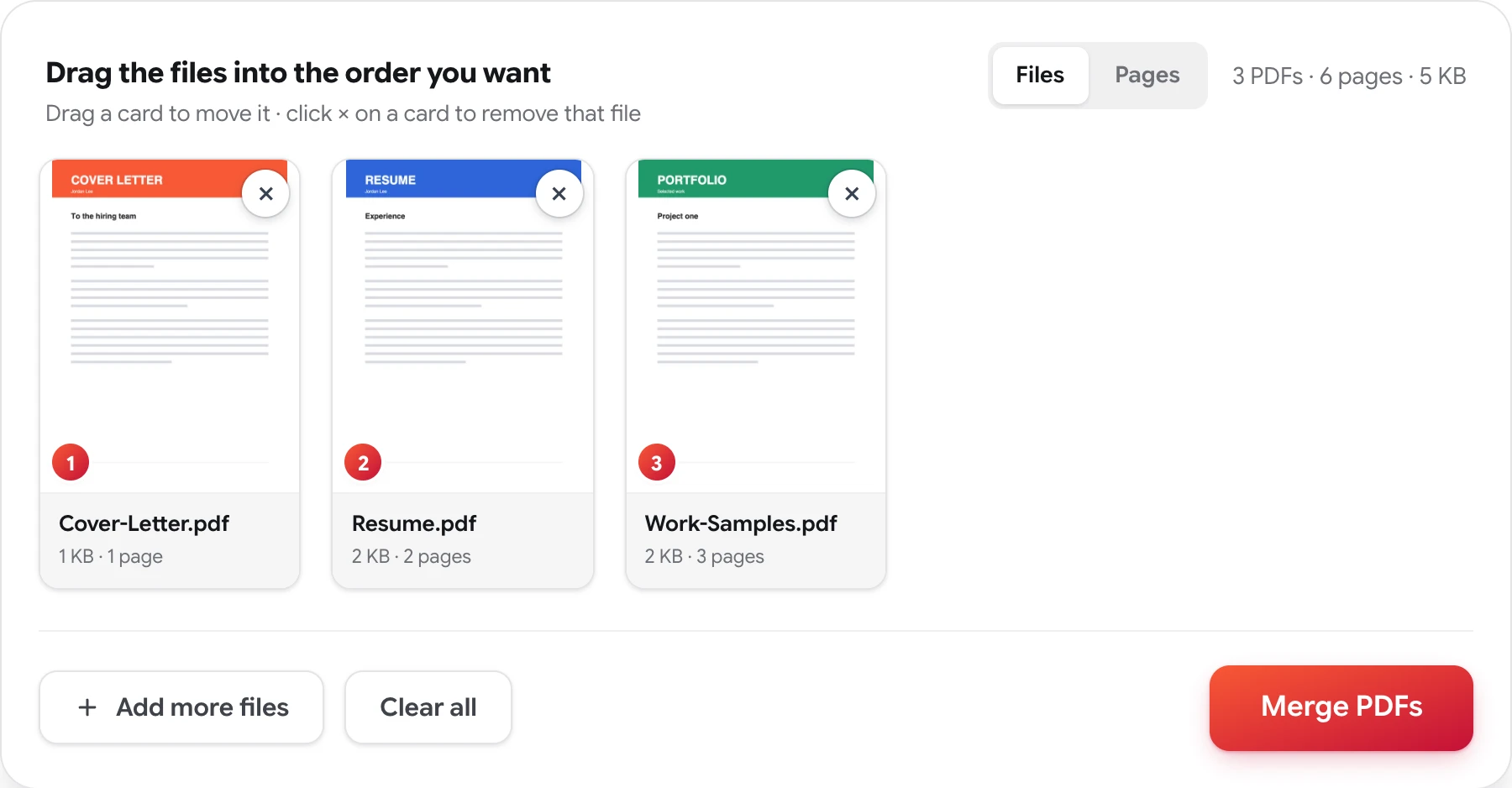
How to combine a cover letter and resume
Four steps, no account, nothing to install.
-
Add both PDFs
Drop in the cover letter and the resume — plus a portfolio or references, if the posting wants them.
-
Put the letter first
Drag the cards so the cover letter leads and the resume follows. The numbered badges show the final order.
-
Check the pages
The thumbnails show each document's first page, so a wrong file or an old version stands out before it's sent anywhere.
-
Merge and download
Press Merge PDFs and download one file, formatted exactly as your originals — nothing added, nothing watermarked.
One attachment, one impression
Application systems have a habit of offering a single upload field, and emailed applications read better as one document than as a scatter of attachments the recruiter has to open in the right order. Combining the letter and the resume yourself means you decide what gets read first — and nobody meets your resume before your pitch.
Formatting survives the trip. Pages are copied exactly as they are in the source files, so the typography you agonized over arrives intact, and a landscape portfolio page can sit behind a portrait resume without either being squeezed. If one document needs a trim first — a portfolio that runs long, a references page you'd rather hold back — the Pages view lets you drop individual pages or keep just the pages worth sending before you merge.
And because a job hunt is nobody's business but yours: the documents you merge are never stored, reviewed, or shared, and no copy of the merged file is retained. The privacy policy has the details.
Related: organize a PDF page by page · merge PDF files
Resume + cover letter — FAQ
Should the cover letter or the resume come first?
Convention says cover letter first, then resume, then any samples — the reader meets your pitch before your history. But the cards drag into any order, so if a posting asks for something different, the choice stays yours.
Will merging change my resume's fonts or layout?
No. Pages are copied exactly as they are in the source files — fonts, spacing, and layout carry over unchanged. A resume you spent hours formatting comes out looking precisely the way it went in.
Does the merged PDF have a watermark?
No. A job application is no place for someone else's branding. The merged file contains your pages and nothing else — no watermark, no footer, no stamp.
Can I include work samples or reference letters too?
Yes. Add up to 50 PDFs — cover letter, resume, portfolio pages, references — and arrange them in any order before merging into one file. You can also delete individual pages first if a sample runs long.
Send one file, not three
Free, private, and done in seconds — no sign-up, no watermarks.
Combine resume and cover letter