Extract pages from a PDF, free
Pull just the pages you need out of any document — a range, a list, or a handful picked by eye — and save them as a new PDF in seconds. The original stays untouched.
Extract PDF pages now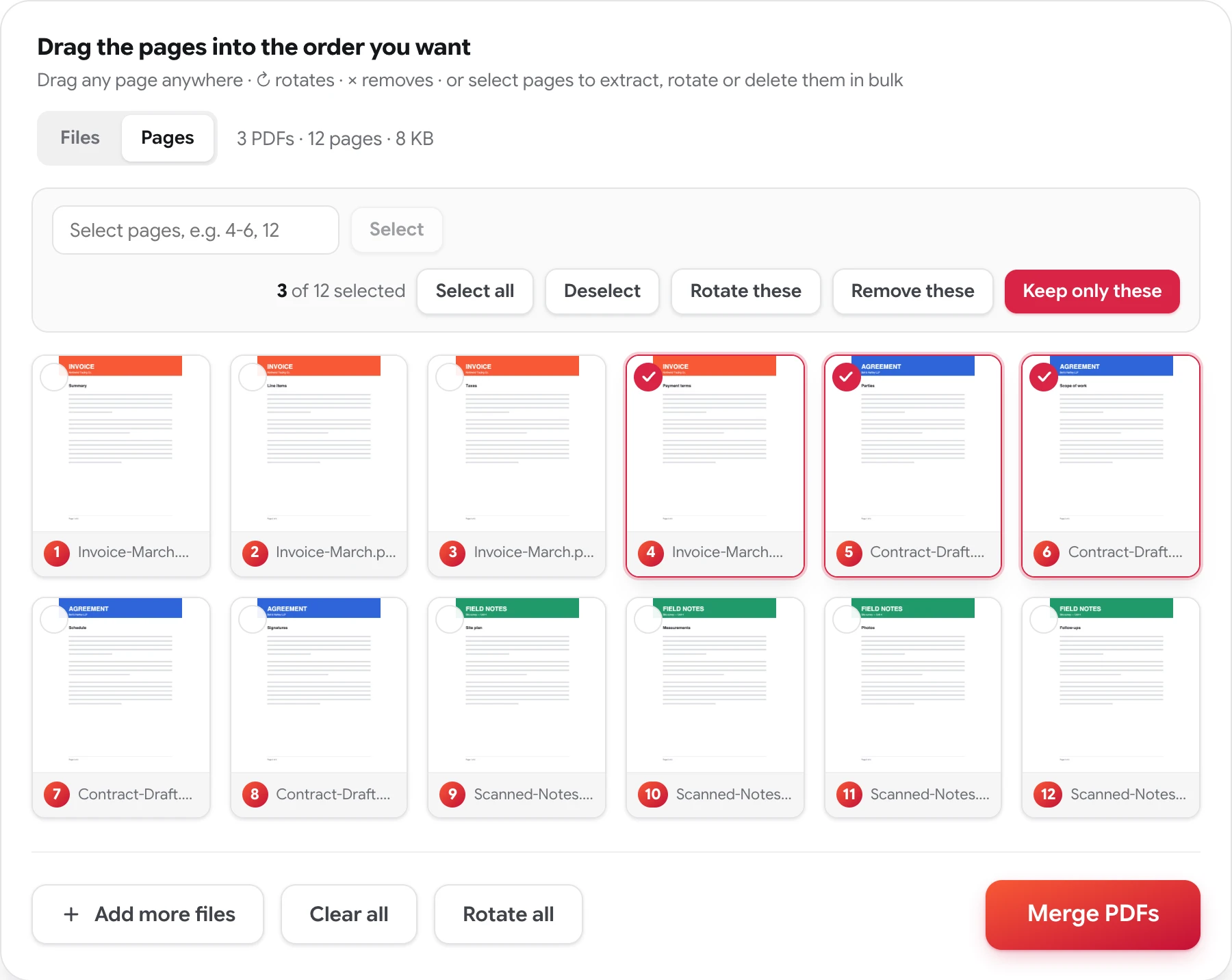
How to extract pages from a PDF
Four steps, no account, nothing to install.
-
Add your PDF
Drop in the file — or several, if the pages you need are spread across documents.
-
Switch to Pages
Flip the Files ⇄ Pages toggle and every page appears as its own numbered card.
-
Save single pages instantly
Click on any page and it downloads as its own one-page PDF, rotation included. The original file isn’t modified.
-
Or keep a range as one file
Select the pages you don't need — click, shift-click, or type 4-6, 12 — remove them, and press Merge PDFs for a single new file of what's left.
Getting three pages out of a fifty-page document
Most documents that need extracting are compilations: a signed contract buried in a scanned packet, one chapter of a manual, the two pages of a bank statement a lender actually asked for. Sending the whole file means making the other person dig — and sometimes means sending pages they shouldn't see at all. The clean move is a new PDF that contains exactly the relevant pages and nothing else.
Extraction here is visual, and it comes in two sizes. For one page, every card carries a download button: click it and that page saves as its own PDF on the spot, with any rotation you applied. For a run of pages as one file, work by selection — click, shift-click, or type the positions (4-6, 12), remove what you didn’t choose, and merge what’s left into a single new document. Since the grid holds every file’s pages at once, either way works across several PDFs in one pass.
The pages carry over exactly as they are in the source — content, images, and layout, with no watermark added. Password-protected files are the one exception: they need their password removed before their pages can be worked on.
Related: delete pages from a PDF · rearrange PDF pages · organize a PDF page by page · merge PDF files
Extracting PDF pages — FAQ
Does extracting pages change the original PDF?
No. The original file on your device stays exactly as it is. The pages you keep are saved as a brand-new PDF, and the source document is untouched.
Can I extract pages that aren't next to each other?
Yes. Type a list like 4-6, 12 into the selection box, or click pages individually — any combination works, consecutive or not. The new PDF contains exactly the pages you selected, in the order shown on the grid.
Can I pull pages from several PDFs into one new file?
Yes. Add all the files, select the pages you don't need across any of them, remove them, and press Merge PDFs. The result is a single new PDF containing just the pages you kept — a three-page brief assembled from three different documents, if that's what you need.
Is extracting PDF pages here free?
Completely. No account, no watermark, no page limit, and the documents you work on are never stored, reviewed, or shared.
Take just the pages you need
Free, private, and done in seconds — no sign-up, no watermarks.
Extract PDF pages now